AI Pet Portrait Generator — Custom Portraits From a Photo
Turn one pet photo into a custom portrait. Upload a dog, cat or other pet picture, choose a style, and generate an AI pet portrait you can download, print or give as a gift.
Free to try. A clear head-and-shoulders photo works best.
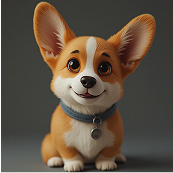
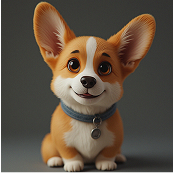
A portrait, not just a filter
A pet portrait is about more than a colour change. It is a framed, intentional image of your pet — the kind you would hang on a wall or put on a card. The AI pet portrait generator takes a normal photo and rebuilds it with portrait framing, controlled lighting and a chosen style, while keeping the features that make your pet recognisable.
That makes it useful for gifts, memorial keepsakes and home decor, as well as for anyone who simply wants a nicer picture of their animal than a candid phone shot.
How to make an AI pet portrait
- Upload a clear photo. Head and shoulders, sharp focus, even light.
- Choose a portrait style. Pick a preset or describe the setting, colours and mood you want.
- Generate and download. Preview the portrait, refine the prompt if needed, and download it.
Choosing the best source photo
- Frame the head and chest, not the whole body from far away.
- Keep the eyes and fur pattern clearly visible.
- Use soft, even light — outdoors on a cloudy day or near a window.
- Avoid heavy filters, sunglasses or objects covering the face.
- One pet per portrait gives the cleanest result.
Portrait ideas people love
Classic studio
A neutral backdrop, soft light and a dignified pose. The safest choice for a framed print.
Royal and regal
A cape, a crown and a palace hall for a playful, gift-friendly portrait.
Painterly and illustrated
Oil-painting or watercolour looks turn a photo into a piece of art.
Seasonal scenes
Autumn leaves, winter light or a floral spring setting for greeting cards.
For more prompts and layouts, read AI pet portrait ideas, or see the AI pet portrait guide.
Ways to use a pet portrait
- Framed wall art and gallery walls.
- Greeting cards and personalised gifts.
- Profile pictures and social banners.
- A keepsake to remember a beloved pet.
- A starting image for an animated pet photo or a talking animal video.
Formats and limitations
- Input: one JPG or PNG pet photo with a visible face.
- Output: a downloadable portrait image.
- Portrait styles can be combined with a custom prompt.
- Results are creative interpretations and may vary between attempts.
- Blurry or very dark source photos reduce quality.
AI pet portrait FAQ
How do I create an AI pet portrait?
Upload a clear pet photo, choose a portrait style or describe your own, then generate the portrait. You can download the finished image.
What makes a good source photo for a portrait?
A sharp, well-lit head-and-shoulders photo works best. Keep your pet's face, eyes and fur pattern clearly visible.
Can I choose the portrait style?
Yes. You can pick from portrait styles such as a studio, royal or painterly look, or describe a custom setting and mood.
Is the AI pet portrait generator free?
PetTalk AI is free to try in a browser during launch, with no installation and no payment details required.
Can I turn the portrait into a video?
Yes. From the photo result you can send the image to the animation tool and create a short moving video.
Related tools
Create a portrait worth framing
Upload one photo, pick a style and generate a custom AI pet portrait in the Studio.
Create an AI pet portrait — free