How to Animate a Pet Photo (Without Making It Talk)
Animating a pet photo adds gentle life to a still image: a turn of the head, a flick of an ear, a slow blink. It is calmer than a talking video and often the better choice for a keepsake, a memorial, or a simple social post.
By PetTalk AI · Published September 22, 2026 · Updated September 22, 2026
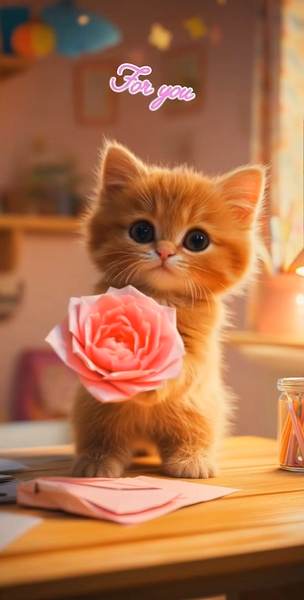
Animation versus a talking video
These two effects use the same starting point but do different jobs. A talking video is built around speech. You supply audio, and the face is driven to match each syllable so the mouth appears to form the words. It is lively, comic, and best when you want a clear punchline.
Animation, by contrast, has no dialogue. The tool adds small, believable movement to the existing photo: breathing, a head tilt, a blink, a slight sway. Nothing is being said, so nothing has to sync. The result feels quieter and more natural, and it holds up well for photos that would look silly with a talking mouth attached.
As a rule of thumb: choose talking when the joke or message is the point, and choose animation when the photo itself is the point.
Choosing a photo to animate
Motion looks most convincing when the photo already has a clear subject and a little space around it. A head that fills too much of the frame has nowhere to move, while a subject that is small and far away loses detail when the frame shifts.
What animates well
- A sharp portrait with the head and shoulders visible and some background around them.
- Even lighting, so the added motion does not reveal flat or missing detail.
- A relatively simple background, which makes the movement read clearly.
- A calm pose with the face toward the camera.
What resists animation
- Heavily blurred or very low-resolution images.
- Busy scenes with several animals, where the eye cannot tell what is moving.
- Extreme close-ups with the face cropped at the edge of the frame.
Templates and types of motion
Most tools offer a small set of motions rather than one universal effect. Common options include a gentle idle where the head shifts slightly and the eyes blink, a look-around where the pet turns toward the camera, and a nudge or head-tilt for a friendly greeting. Pick the motion that matches the mood of the photo instead of the flashiest one. A sleepy cat suits a slow blink; an alert dog suits a small head turn.
If a motion feels too strong, it usually draws attention to the effect rather than the pet. Subtle is almost always more convincing.
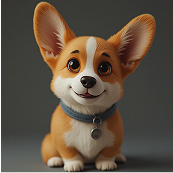
Good uses for an animated pet photo
- Keepsakes and memorials. A gentle animation can feel warmer than a static frame.
- Profile headers. A short looping motion draws the eye without needing sound.
- Birthday or holiday greetings. A moving portrait reads as a small gift on its own.
- Before a talking clip. Use the animation to test which photo looks best before adding speech.
Limits worth knowing
Animation does not create new scenes, change the pose, or invent a background. It works from the pixels you provide, so the output stays anchored to the original photo. Movement is intentionally restrained, and a very small or soft image will show its limits as soon as anything shifts. There is also no sound, so if you want a spoken line, you need the talking video path instead.
Used within those boundaries, it is a low-effort way to make an old favourite photo feel alive again. Try it with the animate pet photo tool, or build a stylised still with the AI pet portrait generator first.
Related guides
- How to make a cat talk with AI, step by step
- Creating an AI pet portrait from a photo
- Everyday dog care basics
- What to know before getting a dog
Try it with your own pet
Upload one photo and make a talking pet video in the PetTalk AI Studio.
Open the Studio — free